

Moodle is a powerful learning management system, but in enterprise environments it rarely functions as a standalone platform. Organizations typically already operate an identity provider, HR system, CRM, reporting environment, and payment infrastructure. The real value emerges when Moodle becomes a seamless part of that existing landscape.
Without proper integration, Moodle quickly becomes yet another system that adds administrative overhead: separate credentials, manual account creation, stale user permissions, detached payment flows, and learning data that does not connect to HR or management reporting.
With a professionally integrated Moodle environment, this happens automatically. New employees get timely access to the right courses, departing employees are suspended immediately, payments are processed correctly, and learning data can feed into existing dashboards and compliance processes.
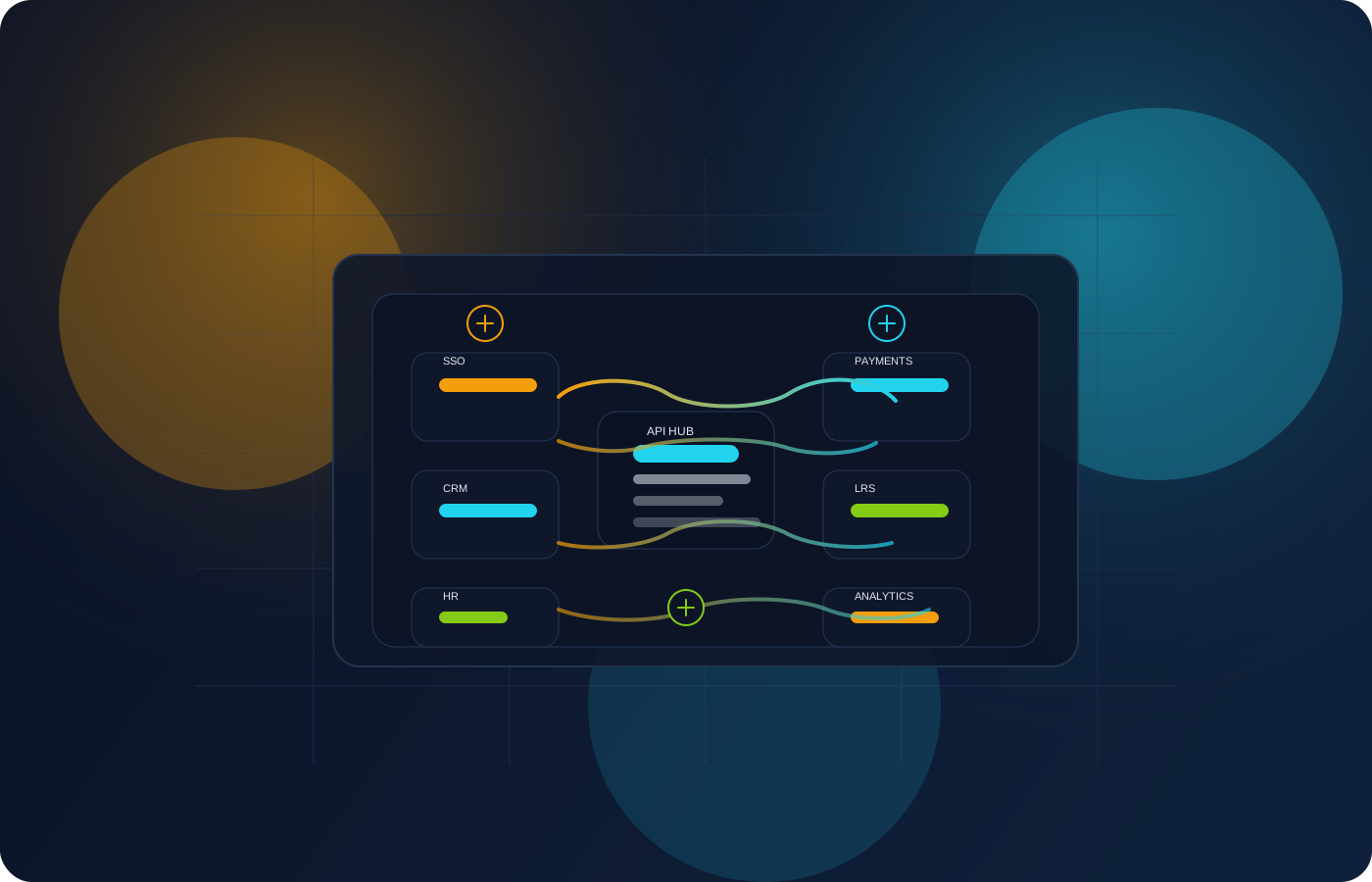
In this guide we cover the main integration categories we work with at Ldesign Media: SSO, HR synchronization, payment systems, LTI, xAPI, and Moodle's REST API. We close with a realistic production scenario combining Azure AD, SAP SuccessFactors, and Mollie.
Why Moodle Should Not Be an Island
The most common complaint about poorly integrated LMS environments is simple: users have to "log in separately yet again". It sounds minor, but at scale it causes concrete problems:
- users forget credentials and flood the helpdesk;
- new employees have no access to mandatory onboarding on day one;
- departing employees retain access far too long;
- management cannot correlate learning data with HR records;
- finance maintains disconnected payment or invoicing flows.
A well-integrated Moodle environment removes this friction. Moodle stops being an administrative silo and becomes a node within the organization's existing information flows.
Single Sign-On: One Identity, One Access Flow
Single Sign-On is usually the first and most important integration. Users authenticate with their existing corporate identity and reach Moodle without a separate username or password.
SAML, OpenID Connect, and LDAP
Three approaches are common in enterprise environments.
SAML 2.0 remains a widely used enterprise standard. Moodle acts as the Service Provider while Azure AD, ADFS, Okta, or another identity provider handles authentication. SAML fits best when attribute mapping, signed assertions, and compliance requirements are important.
OpenID Connect, built on top of OAuth 2.0, is more modern and aligns well with API-first architectures and SaaS platforms like Microsoft Entra ID, Google Workspace, and Auth0. For new cloud-first environments, OIDC is often a strong choice.
LDAP is mostly used in legacy environments with on-premises Active Directory or OpenLDAP. It works reliably but does not deliver a true modern SSO experience and requires direct network connectivity between Moodle and the directory.
Azure AD / Microsoft Entra ID
A common integration is Moodle with Microsoft Entra ID, formerly Azure AD. In a standard SAML configuration Moodle is registered as an Enterprise Application. Entity ID, ACS URL, and Name ID are then configured, after which attributes such as first name, last name, email, department, and employee ID are mapped into Moodle.
On the Moodle side, Catalyst IT's SAML2 plugin is frequently used. It supports multiple identity providers, Just-In-Time provisioning, and attribute-based cohort assignment.
HR Synchronization: Automated Provisioning
Authentication governs who may log in, but not which accounts should exist, which roles users hold, or which courses they should be enrolled in. That requires HR synchronization.
For enterprise clients we often integrate with systems such as SAP SuccessFactors and Workday. The HR system remains the source of truth. Typically we build a middleware layer that receives HR events, translates them into Moodle actions, and calls Moodle's web services.
Typical actions include:
- creating new users;
- updating existing users;
- suspending users on termination;
- adding users to cohorts based on department, job, or role;
- letting course enrollments follow automatically through cohort links.
Cohorts as a Scalable Enrollment Model
In enterprise environments it is more efficient to link cohorts to courses rather than individual users. The HR sync then drives assignments such as:
- DEPT_SALES → Sales cohort → sales onboarding and product training;
- DEPT_IT → IT cohort → security awareness and compliance;
- ROLE_MANAGER → manager cohort → leadership training.
When an employee changes role or department, Moodle adjusts access automatically. Completion data is preserved, which matters for audit and compliance requirements.
Termination: Suspend, Do Not Delete (Within GDPR Limits)
On termination we almost always recommend suspending accounts rather than deleting them immediately. Learning history remains available for compliance and reporting while the user can no longer access the system. Deletion is permanent; suspension is auditable and reversible.
Suspension, however, must not become an indefinite state. GDPR requires that personal data is not kept longer than necessary for the original purpose (storage limitation, Article 5(1)(e)) and preserves the data subject's right to erasure (Article 17). In practice this means:
- define an explicit retention period per data category, backed by a lawful basis (for example, audit or compliance obligations for mandatory training);
- automatically anonymize or delete suspended accounts once the retention period expires;
- extract the required completion and audit data upfront into aggregated or pseudonymized reports, so downstream reporting no longer depends on identifiable user data;
- honour erasure requests within the GDPR deadline, unless a statutory retention duty explicitly applies;
- document the retention and deletion policy in the records of processing and the privacy notice.
Suspension gives the right operational control on termination, but must always sit inside a broader GDPR-compliant retention and deletion policy.
Payment Integrations: Mollie, Stripe, and iDEAL
For organizations selling training externally, or charging internal cost centers, Moodle must connect to a payment infrastructure. In the Netherlands iDEAL is often essential, which makes Mollie a natural choice.
A payment integration usually takes the form of a custom enrolment plugin. It displays the course price, redirects the user to the hosted checkout at Mollie or Stripe, and only enrolls the user once the payment has been confirmed server-side via webhook.
That webhook pattern matters. A browser redirect alone is not reliable enough because users may close the window before the return trip completes. The webhook confirms the payment independently of the browser session.
Common payment models include:
- one-time payment per course;
- subscription access to a course library;
- bulk purchase with seat licenses;
- internal cost-center allocation without direct payment.
LTI: Connecting External Learning Tools
Learning Tools Interoperability, or LTI, is used to securely connect external learning tools to Moodle. Think simulations, virtual labs, assessment platforms, or content libraries.
Moodle can act as an LTI consumer, where external tools open inside a Moodle course. The external tool receives context about user, course, and activity. Conversely, Moodle can act as an LTI provider, for example when another platform needs to surface Moodle content.
For new integrations, LTI 1.3 is the recommended standard. It uses OAuth 2.0 and JWTs, supports deep linking, and is more secure than older LTI 1.1 integrations.
xAPI: Sending Learning Data to an External LRS
xAPI, also known as the Experience API or Tin Can, allows learning activities to be emitted as statements to an external Learning Record Store. This is particularly valuable when learning data from multiple systems needs to be aggregated.
An xAPI integration is often used for:
- central compliance audits;
- reporting outside of Moodle;
- connecting to enterprise learning analytics;
- storing learning activity in an independent LRS platform.
With Moodle's Logstore xAPI plugin you can forward course completions, quiz attempts, activity views, and custom events, among others.
Moodle REST API: Building Custom Integrations
Virtually every serious Moodle integration ends up using Moodle's web services framework. Through it, external systems can manage users, courses, cohorts, enrollments, and results.
Frequently used functions include:
- core_user_create_users;
- core_user_update_users;
- core_cohort_add_cohort_members;
- enrol_manual_enrol_users;
- core_course_get_courses;
- gradereport_user_get_grade_items.
When the standard functions are insufficient, we build custom external functions in a plugin. That allows a single business API call to cover a full HR mutation, including user update, cohort change, and audit logging.
Middleware or Direct Moodle Plugin?
There are two broad architectural choices.
With a direct plugin integration Moodle talks to the external system directly. This suits relatively simple integrations such as a single SSO provider or a single payment provider.
With a middleware architecture a dedicated integration layer sits between Moodle and external systems. It receives events, translates payloads, retries on failure, logs errors, and calls Moodle's API. This is more robust when multiple systems or complex data flows are involved.
For enterprise environments with three or more connected systems, middleware is usually the better long-term choice.
Event-Driven and Scheduled Synchronization
Not every synchronization needs to be real time. For critical processes such as onboarding and termination, event-driven synchronization is ideal. The HR system pushes an event directly to the middleware, and Moodle is updated almost immediately.
For reconciliation a scheduled task remains useful. It periodically verifies that all systems are still consistent and corrects any drift. In practice we combine both models: real time where needed, batch processing where it is more efficient.
Security: Essential in Every Integration
Enterprise integrations handle sensitive data: personal information, roles, learning history, payment details, and authentication tokens. Security measures are not optional.
Key principles include:
- use dedicated service accounts per integration;
- restrict Moodle web service tokens to minimal privileges;
- use HTTPS exclusively and validate certificates;
- verify webhook signatures;
- log synchronization actions and errors;
- forward only the data the receiving system actually needs;
- where possible, restrict server-to-server access to known IP addresses.
Production Scenario: Azure AD, SAP SuccessFactors, and Mollie
For a Dutch enterprise organization with roughly 2,000 employees we built an integrated Moodle environment with three main connections:
- SSO via Microsoft Entra ID;
- automated HR provisioning from SAP SuccessFactors;
- external training sales through Mollie and iDEAL.
Moodle was registered as an Enterprise Application in Entra ID. Attributes such as employee ID, department, and cost center were passed to Moodle at login. SAP SuccessFactors delivered HR events to a middleware layer that created, updated, or suspended users and synchronized cohorts. For external partners, a Mollie integration allowed them to purchase training and be enrolled automatically after successful payment.
The result was an LMS that fit into existing processes rather than sitting alongside them. Employees logged in with their Microsoft account, course enrollments flowed automatically from HR data, and external participants could register through a familiar payment flow.
Conclusion
Moodle integration is not a technical afterthought; it is a defining factor for adoption, manageability, and compliance. SSO, HR synchronization, and payments typically form the foundation. LTI tools, xAPI reporting, CRM connections, dashboards, and custom portals layer on top.
Organizations that treat Moodle as part of their enterprise architecture get more value from their LMS: less manual administration, fewer support tickets, better data quality, and a smoother learning experience for users.
At Ldesign Media we help organizations design, build, and maintain Moodle integrations. Whether it is a single Entra ID connection or a full middleware layer between Moodle, SAP, Salesforce, and a payment platform, we make sure Moodle fits inside your existing digital landscape.