

Two Very Different Projects Called "Moodle Migration"
When an organization talks about a Moodle migration, they mean one of two things. Either they are moving to Moodle from another learning platform (aNewSpring, Studytube, Totara, Canvas, or a homegrown LMS), or they are moving an existing Moodle installation forward, from a legacy 2.x or 3.x version to a current 5.x release. Both are migrations. Both fail in predictable ways when they are treated as an IT checkbox instead of a planned project.
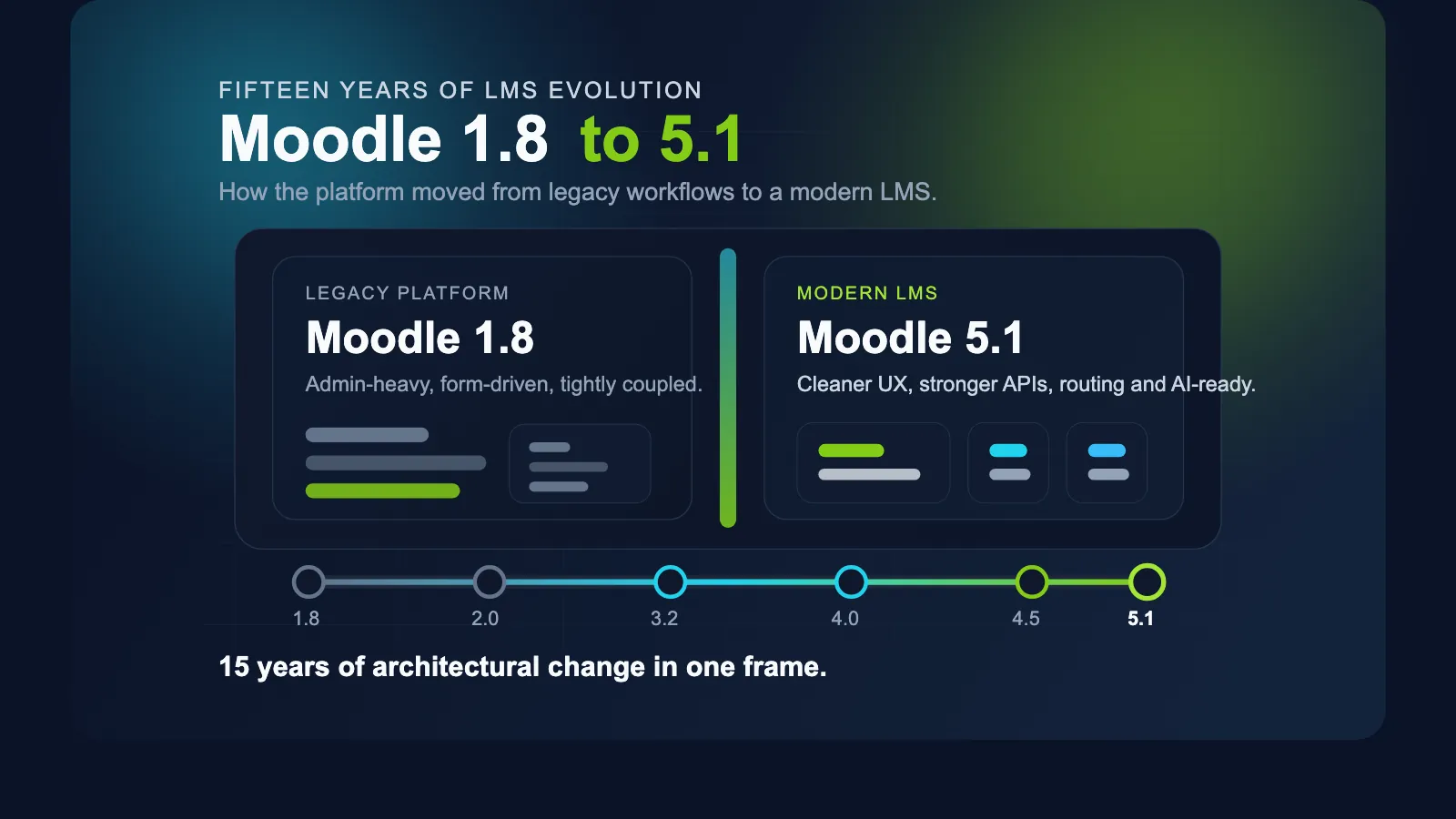
At Ldesign Media we have been executing both scenarios since 2010: LMS migrations for organizations replacing commercial platforms, and Moodle upgrades for environments that have been running since the Moodle 1.8 and 2.x era. We support every Moodle version from 2.0 up to the latest 5.3, which means no environment is too old to bring forward safely. This guide walks through both scenarios and the step-by-step plan that makes them succeed.
Scenario A: Migrating to Moodle From Another LMS
Switching learning platforms ("lms overstappen") is primarily a data project, not a software installation. Moodle itself can be set up in a day. The work is getting your users, courses, content, and history across without loss.
What can and cannot be migrated
- User accounts. Names, email addresses, and organizational structure (departments, cohorts) migrate well via CSV or direct database mapping. Passwords usually cannot: most platforms store hashes that Moodle cannot verify, so plan a password reset flow or switch to SSO at the same time.
- Course content. SCORM packages are portable by design and import into Moodle's SCORM activity directly. Native content (pages, quizzes, assignments built inside the old platform) is not portable; it must be rebuilt or converted. Budget time for this: it is consistently the most underestimated part of an LMS migration.
- Completion history and certificates. For compliance training, completion records often carry legal weight. Export them from the source platform, map them to Moodle's completion and grade structures, or archive them in a reporting layer if live import is not meaningful.
- SSO and integrations. A platform switch is the ideal moment to move authentication to your central identity provider (Entra ID/Azure AD, SAML, OAuth2) and to reconnect HR sync, so user provisioning is automatic from day one.
If you are specifically evaluating the move away from aNewSpring, our comparison of aNewSpring and Moodle covers the functional and licensing differences in detail, and what a migration trajectory looks like.
Practical advice for the switch
Run both platforms in parallel for one enrollment period where possible. Migrate one pilot group first, validate their experience and their completion data, and only then move the full organization. And freeze content changes on the old platform from the moment the data export is taken, or you will be migrating the same courses twice.
Scenario B: Upgrading a Legacy Moodle Installation
The second scenario is an existing Moodle that has fallen behind. We regularly encounter Moodle 2.7, 3.1, or 3.5 in production: versions that stopped receiving security patches years ago. Upgrading ("moodle upgraden") from these versions to 5.x is very doable, but it is not a single button press.
Why legacy upgrades require planning
- Stepwise upgrades. Moodle does not support jumping from 2.x directly to 5.x in one step. Depending on the starting version, the upgrade path goes through intermediate releases, each with its own database migrations. A Moodle 2.7 site, for example, typically upgrades via 3.x milestones before reaching current versions.
- Plugin compatibility. Every installed plugin must be checked against the target version. Community plugins may have been abandoned; custom plugins may use APIs that no longer exist. This audit decides the real timeline of the project.
- Theme rebuild. Themes from the 2.x and early 3.x era do not survive into modern Moodle, which moved to Bootstrap-based theming. A legacy upgrade almost always includes a theme rebuild or a move to a maintained theme with your branding applied.
- PHP and database versions. Each Moodle version requires a matching PHP version. Moving from Moodle 2.x to 5.x usually means the server stack itself (PHP 5.x or 7.x to PHP 8.2+) must be upgraded in step with Moodle.
Organizations sometimes ask whether they should instead reinstall Moodle from scratch and migrate content into a clean site. For heavily customized legacy installs, that can genuinely be the better route. The audit phase answers this question with facts instead of gut feeling.
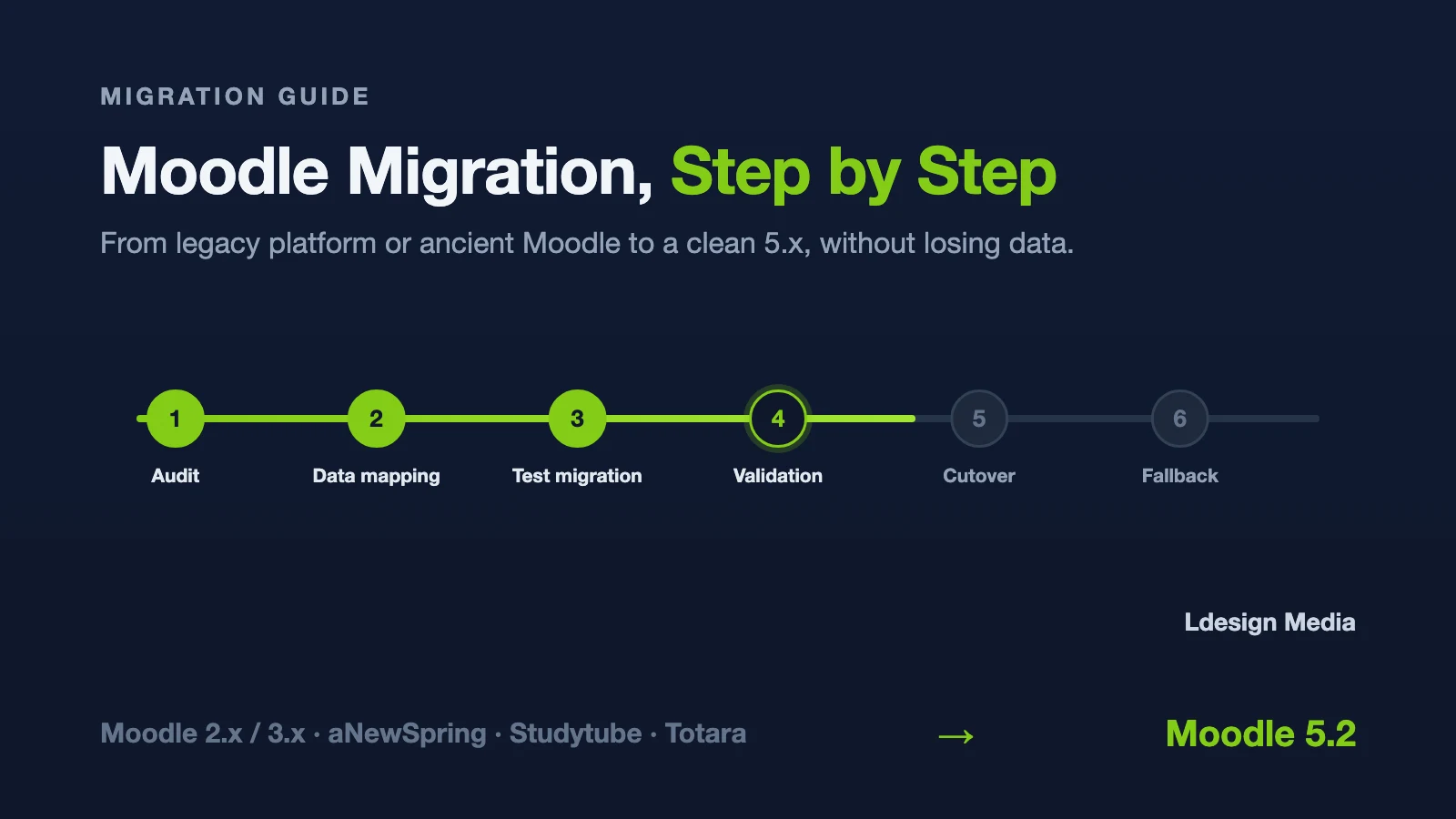
The Migration Plan, Step by Step
Whether you are switching platforms or upgrading Moodle, the shape of a successful project is the same.
Step 1: Inventory and audit
Catalog everything before touching anything: Moodle or platform version, installed plugins and their purpose, custom code, integrations (SSO, HR systems, payment providers), content volume, user counts, and the reports the organization depends on. For legacy Moodle upgrades, this audit determines the upgrade path and flags blocking plugins. For LMS switches, it determines what is migrated, rebuilt, or retired.
Step 2: Data mapping
Define where each data category lands in the new environment: users to accounts and cohorts, courses to courses and categories, completions to completion records or an archive. Write the mapping down and have the business owner sign off on it. Discovering mid-migration that the completion history mapping is wrong is expensive; discovering it in a mapping document is free.
Step 3: Test migration on a copy
Never rehearse on production. Take a full copy of the source environment, run the complete migration or upgrade on a staging server, and measure it: how long does it take, what breaks, what data does not survive. For legacy Moodle upgrades this also means running the plugin compatibility check and the actual upgrade scripts, not just reading the release notes.
Step 4: Validation with real users
Let course owners and a group of end users validate the migrated environment. Check course content, gradebooks, completion records, certificates, and reports against the source. Validation by the people who own the data catches the edge cases that technical checks miss, like gradebook aggregation settings that produce different totals than the old system.
Step 5: Plan the cutover and downtime
Schedule the production migration in a low-usage window, communicate downtime in advance, take a final fresh backup or export, and freeze content changes. A well-rehearsed migration typically means hours of downtime, not days, because every step has already been executed on staging.
Step 6: Go live, verify, and keep a fallback
After cutover, verify the critical flows immediately: login and SSO, course access, a quiz attempt, a completion registration, cron execution. Keep the old environment available read-only for a defined period. You will rarely need it, but the one time you do, it is priceless.
Our free Moodle upgrade checklist structures these steps for a legacy Moodle upgrade specifically: download it if you are preparing a 3.x or 4.x to 5.x upgrade.
Common Pitfalls We See in Practice
After fifteen years of migrations, the failure modes repeat themselves:
- Corrupt or incomplete backups. The source backup fails to restore and the project stalls on day one. Test every backup by actually restoring it before the migration starts.
- Custom plugins blocking the upgrade. An organization depends on a custom plugin built for Moodle 2.5, and nobody knows who wrote it. The plugin must be updated, replaced, or retired before the upgrade can proceed. As a team that has delivered 300+ custom Moodle plugins, updating or rebuilding abandoned custom plugins is a large share of our migration work.
- Gradebook and completion edge cases. Grade histories, manual grade overrides, and completion states set by now-removed plugins behave unexpectedly after migration. These need explicit validation, not assumptions.
- Underestimated content rebuild. Native content from the old LMS cannot be converted automatically. Teams that discover this halfway through have already spent their budget on the technical migration.
- No fallback plan. The old environment is decommissioned the day after go-live, and two weeks later someone needs a completion record that only exists there.
When to Bring in a Moodle Migration Specialist
Small, standard environments migrate fine with an experienced in-house admin. Bring in a Moodle migration specialist when any of these apply: the environment is heavily customized, completion history has compliance value, multiple integrations (SSO, HR, e-commerce) are involved, the version gap spans several major releases, or the platform simply cannot afford a failed first attempt. The cost of specialist help is predictable; the cost of a botched migration during enrollment week is not.
Planning an LMS switch or a legacy Moodle upgrade? Read more about our Moodle upgrade and migration services, download the upgrade checklist, or contact us to discuss your environment. We migrate and upgrade every Moodle version from 2.0 to 5.3.
Switching Moodle™ providers
Keeping Moodle™ but changing the team that manages it? Access, source code, responsibilities and follow-up need attention too. Use our Moodle™ provider handover checklist to prepare the transfer conversation.