

A corporate academy is more than an LMS with a few courses in it. It is the structured home of all learning in your organization: onboarding, compliance training, product knowledge, leadership development, in your own branding, on your own domain, with reporting that gives insight into participation, progress, results and certification. For organizations that want to organize learning structurally, such an academy is a logical step. In this guide we explain what a corporate academy is, when the investment pays off, and how to set one up step by step.
At Ldesign Media we build corporate academies on Moodle for organizations across the Netherlands and beyond. This is the approach we have refined over more than 15 years of Moodle projects.
1. What Is a Corporate Academy, Exactly?
"Corporate academy" is not a strictly defined product, so here is how we use the terms:
- An LMS is the software: the system that hosts courses, enrolls users and tracks results.
- A course catalogue is content: a collection of training people can take.
- A corporate academy is the combination of platform, content, structure and governance, presented as one recognizable learning environment for your organization.
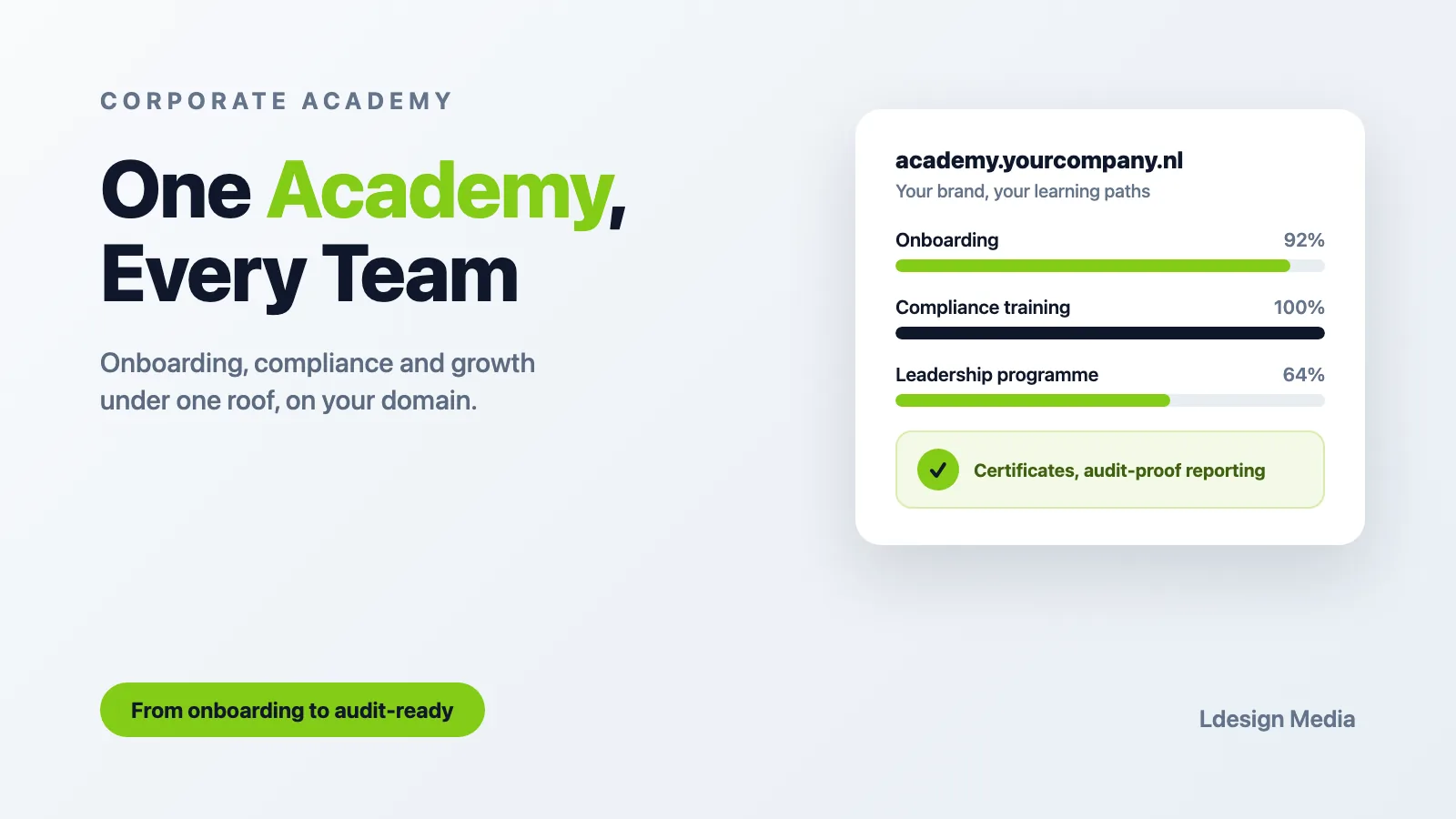
A good academy feels like a digital campus of your company. Employees log in on academy.yourcompany.com, see their personal learning path, follow onboarding in their first weeks, complete mandatory compliance training with certificates, and build skills through curated programmes. Managers see team progress. HR and L&D see completion, scores and certification status across the organization. A mature academy can also combine that LMS data with business KPIs, making visible what learning actually delivers.
Well-known examples from large corporates make it sound like something for enterprises only. It is not. The need depends less on headcount than on how structural and complex learning is. Organizations with compliance obligations, franchising, multiple locations or fast growth need the same pattern sooner than you might expect.
2. Why Organizations Build One
In practice we see four recurring drivers.
Onboarding that scales
When every new colleague gets the same structured introduction, onboarding stops depending on which manager has time. An academy makes onboarding more consistent and more scalable, across locations and teams.
Compliance without the spreadsheet chaos
ISO certifications, safety training, privacy (GDPR/AVG) awareness, sector-specific obligations: an academy automates enrolment, reminders, certification and re-certification. During an audit you export the evidence instead of hunting through email and Excel.
Engagement through development
Development opportunities can contribute to employee engagement and retention. An academy with visible learning paths and development programmes is a concrete answer to "what can I become here?", and it strengthens your employer brand in a tight labour market.
Knowledge that stays in the organization
Product knowledge, processes and best practices captured in courses survive the departure of the colleague who knew everything. The academy becomes the safekeeping place for that explicitly documented knowledge.
3. Step-by-Step: From Idea to Launch
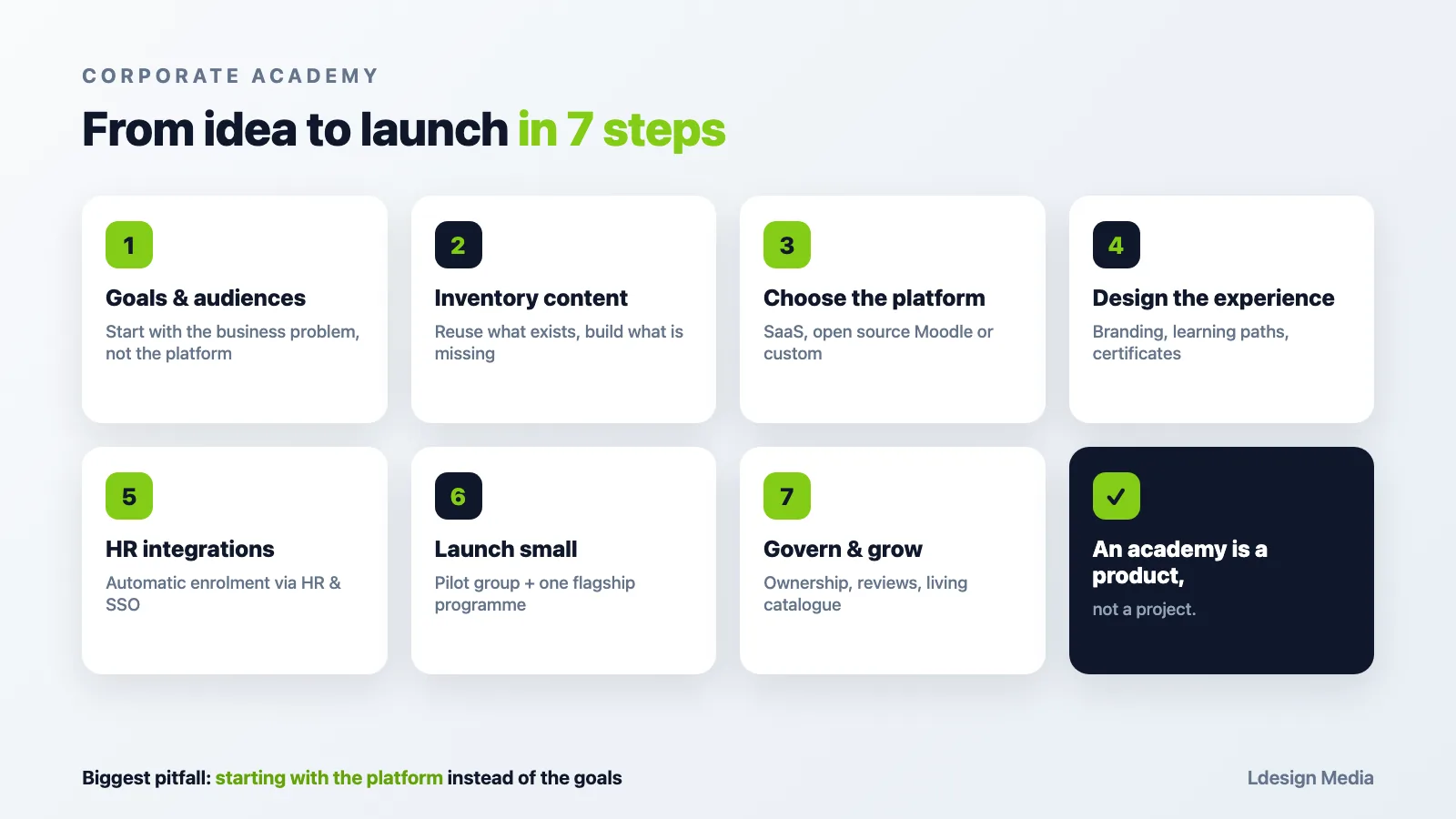
Step 1: Define goals and audience
Start with the business problem, not the platform. Which three outcomes should the academy deliver in year one? Shorten onboarding time? Pass the next audit without findings? Train 500 employees on a new product? Concrete goals drive every later decision, from platform requirements to content priorities.
Define your audiences too: employees, managers, and possibly externals like customers, partners or franchise locations. Each audience gets its own content, its own look and often its own portal within the same academy.
Start with the business problem, not the platform.
Step 2: Inventory your content
Most organizations already have more learning material than they realize: presentations, manuals, recorded webinars, process documents, existing e-learning modules. Map what exists, what is reusable, and what is missing. Prioritize by the goals from step 1. A common mistake is trying to fill the whole academy before launch. Start with onboarding and one or two strategic programmes; grow from there.
Step 3: Choose the platform
This is where the long-term costs are decided. Broadly there are three routes:
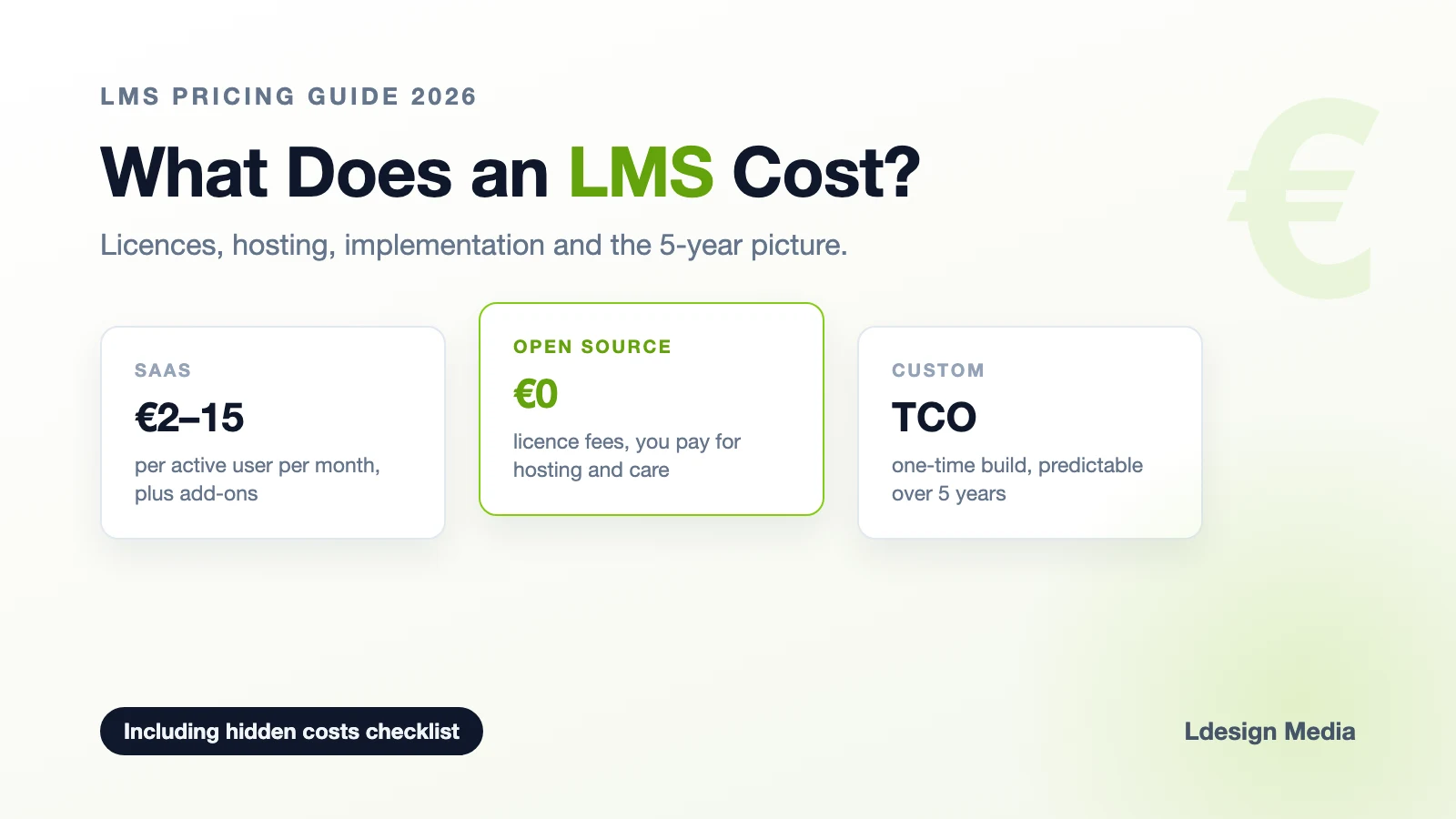
- SaaS LMS: fast to start, with widely varying pricing models (per registered or active user, tiers, or fixed subscriptions). Customization stops at the vendor's feature list, and the vendor sets the cost structure, not you.
- Open source Moodle: no licence fees per user, enormously flexible, with far more control over hosting, configuration and data processing. Requires a partner for setup, theming, hosting and maintenance.
- Fully custom LMS: maximum freedom, only worth it when your learning model is itself a product or genuinely unique.
Moodle becomes especially interesting when an organization needs control and flexibility that does not fit well inside a standard SaaS product: non-standard roles and workflows, integrations with business systems, multiple audiences, specific reporting or certification processes. You get your own learning environment with the control of ownership, without carrying the technical burden yourself.
Step 4: Design the learner experience
An academy only works if people actually use it. That means your corporate identity throughout, a dashboard that shows each learner exactly what matters to them, learning paths instead of a pile of loose courses, and certificates that demonstrably record who holds which qualification. Depending on the situation, one platform can also serve different audiences, departments or client organizations, each with their own content, permissions and reporting. More advanced multi-tenant scenarios can be realized with additional configuration, custom development or Moodle Workplace. If selling training externally is part of the picture, read our guide on white label learning platforms.
Step 5: Integrate with your HR landscape
Manual user management quickly becomes labour-intensive and error-prone as you grow. Connect the academy where needed to your HR or ERP system, for example AFAS, Exact, Workday or SAP, and to your identity provider, such as Microsoft Entra ID or Google Workspace, so employees are enrolled automatically, get the right learning paths based on their role, and are archived when they leave. Single sign-on removes the "yet another password" barrier.
Step 6: Launch small, communicate big
Launch with a pilot group and one flagship programme, often onboarding. Gather feedback, fix the rough edges, then roll out organization-wide with visible support from leadership. Visible involvement from management helps adoption considerably; an academy that arrives as an HR tool in an email has a much harder time achieving it.
Step 7: Govern and grow
Assign ownership: who manages content, who reviews programmes, who reports to management? Plan quarterly reviews of completion rates and learner feedback, and keep the catalogue alive.
An academy is a product, not a project.
4. What Does a Corporate Academy Cost?
The cost of a corporate academy depends less on one fixed user count than on the chosen approach, the functionality you need and the integrations required.
With a SaaS LMS you typically pay a subscription. The price can depend on the number of registered or active users, the chosen package and additional functionality, and implementation, integration and support costs may be added on top. The advantage is that the initial investment is often relatively modest and technical maintenance largely sits with the vendor.
With a professionally built Moodle academy the cost model looks different. Moodle LMS itself is open source and has no licence fees per user. The investment mainly sits in setup, design, integrations, any custom development, hosting, maintenance and support. As a result, the costs are less directly tied to the number of employees using the platform.
Which route is more economical over three to five years differs per organization. A SaaS solution can fit thousands of users perfectly well when the standard functionality matches your needs. Conversely, Moodle can already be interesting for a smaller organization when specific integrations, workflows, reporting, branding or multiple audiences are required.
So do not compare only the purchase price, but the Total Cost of Ownership (TCO): implementation, licences, hosting, maintenance, integrations, custom work and internal admin time over several years. Our pricing guide helps with that comparison, and the TCO calculator runs your own scenario.
5. Pitfalls to Avoid
Starting with the platform instead of the goals
Buying an LMS first and figuring out the strategy later produces an expensive, empty platform. Goals and audiences first, technology second.
Launching with too much content
A catalogue of 200 mediocre courses impresses no one. Ten excellent programmes aligned with business goals beat a library nobody visits.
Forgetting the integrations
If HR has to create accounts by hand and managers cannot see their team's progress, it becomes a lot harder for the academy to gain traction in the organization.
Underestimating maintenance
An owned platform needs updates, security patches, backups and monitoring. Budget for managed hosting or a support contract from day one. The freedom of open source comes with the responsibility of ownership, which a good partner largely takes off your hands.
6. Is a Corporate Academy Right for You?
A few questions help determine which approach fits your organization:
- Do you train people structurally? Onboarding, compliance, professional knowledge and development are ongoing processes. When learning is a structural part of the organization, a central academy becomes more interesting.
- How complex is your organization? Multiple departments, locations, roles, labels or external audiences place different demands on user management, learning paths and reporting than one uniform group of employees.
- Which systems need to be connected? Think of HR systems, identity management, CRM or other business applications. The more important these integrations become, the more flexibility weighs in the platform choice.
- How important are branding and control? Should the academy be a full part of your digital environment, with its own domain, branding, processes and reporting? Then look at how much freedom a standard SaaS solution offers.
- What happens when the user count doubles? Do not compare only today's costs. Calculate licences, implementation, maintenance, integrations and custom work over three to five years.
When standard functionality fits well, a SaaS LMS can be an excellent choice. When flexibility, integrations, control and your own learning experience weigh heavier, an open source platform like Moodle becomes interesting.
Conclusion
A corporate academy turns scattered training into a strategic asset: consistent onboarding, demonstrable compliance, visible development for your people, and knowledge that stays in the organization. Start with goals and audiences, launch small with flagship programmes, and choose a platform route whose cost structure still makes sense three to five years from now.
At Ldesign Media we design and build corporate academies on Moodle: your branding, your domain, integrations with your HR landscape, and managed hosting that keeps everything fast and secure. Curious what an academy could look like for your organization? Get in touch for a no-obligation consultation.