

Choosing an LMS is a decision you will live with for five to ten years. Yet most selection processes start in the wrong place: with vendor demos instead of requirements. This guide turns that around. We walk through how to define what you actually need, how the three platform types (SaaS, open source, and custom development) compare, which questions to ask every vendor, and the pitfalls that cost organizations the most money. It is the same framework we use when advising organizations that come to us for LMS advice.
1. Start With Requirements, Not With Vendors
Before you compare a single learning platform, write down what it must do. Five questions do most of the work.
Who are your user groups?
Employees, customers, partners, students, or a mix? Each group has different needs: external users need self-registration and possibly payment, employees need HR integration and certificates. A platform that is perfect for 200 employees can be the wrong choice for 20,000 customers.
Which systems must it connect to?
List every integration before you talk to vendors: HR systems (AFAS, SAP, Workday), SSO (Azure AD, SAML, SURFconext), planning tools, CRM, payment providers (iDEAL, Mollie). Integrations are where selection processes are won or lost, and where hidden costs live.
What does compliance require?
For Dutch and Belgian organizations, GDPR/AVG is rarely optional. Ask where data is hosted, who the data processor is, whether subprocessors outside the EU are involved, and how deletion requests are handled. Regulated sectors (healthcare, finance, aviation) add their own audit requirements.
Where should the platform be hosted?
Public cloud, private cloud, or on your own infrastructure? SaaS platforms decide for you. If your organization requires data on Dutch or EU soil, that requirement alone eliminates part of the market.
What is the real budget?
Not the license price: the five-year total, including implementation, integrations, content, and internal time. Our guide What does an LMS cost? breaks down realistic ranges per model.
2. Three Platform Types, One Decision Framework
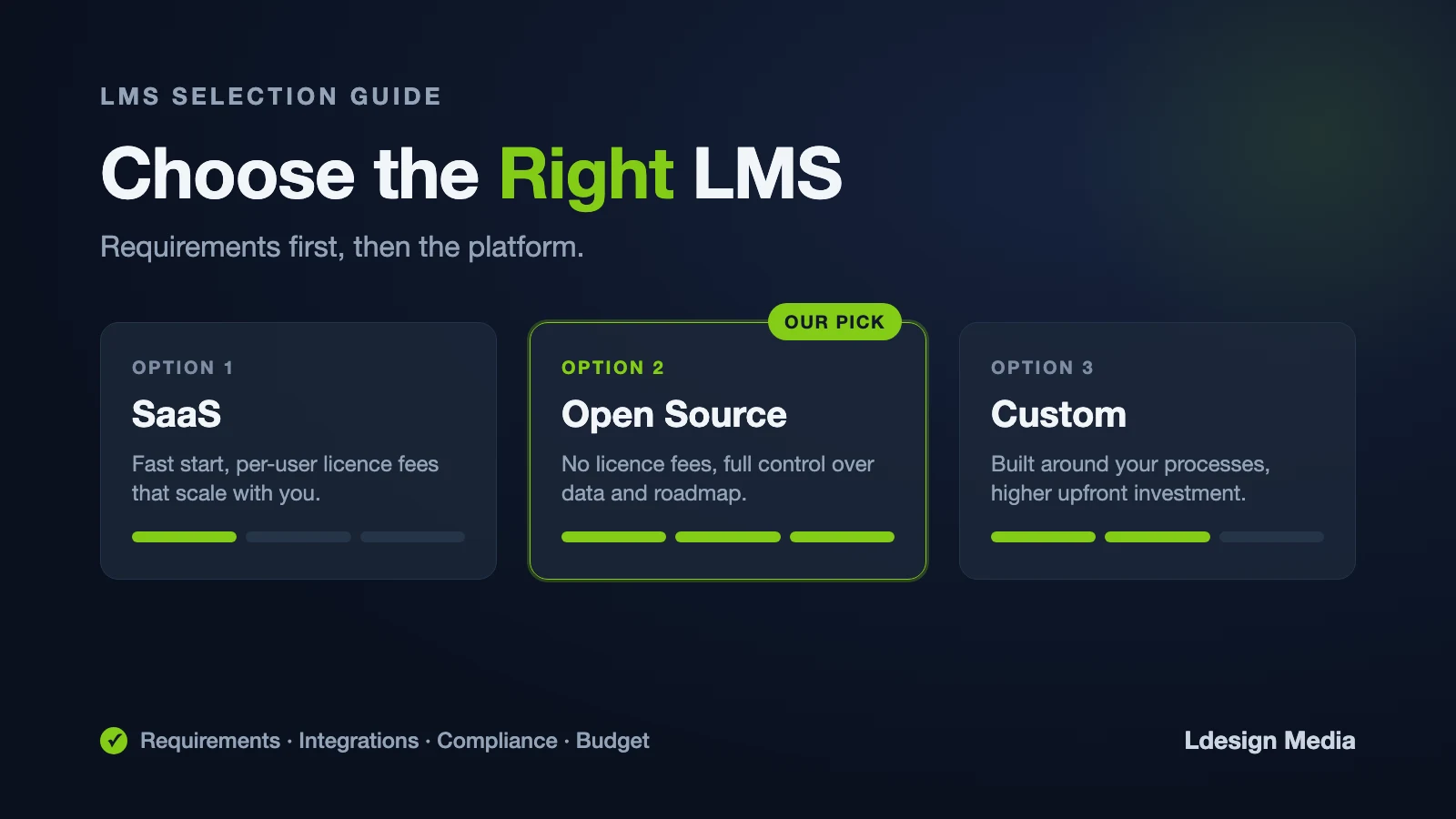
Comparing learning platforms becomes much simpler once you see that every LMS belongs to one of three types.
SaaS LMS
- Strengths: fast to start, vendor handles hosting and updates, predictable monthly cost at small scale
- Weaknesses: per-user pricing that scales poorly, limited customization, vendor lock-in, features you pay for but never use
- Best for: small, stable user groups with standard requirements
Open source LMS (Moodle)
- Strengths: no license costs, full data ownership, thousands of plugins, complete freedom to customize and integrate, no lock-in
- Weaknesses: requires technical expertise for hosting and maintenance (your own team or a partner)
- Best for: organizations above a few hundred users, with integration needs or compliance requirements
Custom development (maatwerk)
- Strengths: fits your processes exactly, your branding, your workflows, integrations with any system
- Weaknesses: higher upfront investment, requires the right development partner
- Best for: organizations whose training processes are a competitive advantage, or that no standard platform can serve
In practice, the strongest solutions combine the last two: a custom learning environment built on open-source Moodle. That is the approach we have used for organizations like KLM and Nedap, and it is what our LMS development service delivers.
3. Comparing LMS Vendors: The Questions That Matter
Whether you evaluate a SaaS vendor or an open-source LMS partner, these questions separate serious parties from polished sales decks:
- How do you count users, and what happens to our price when we double?
- Which integrations are standard, and which require custom work?
- Where is our data hosted, and who are your subprocessors?
- Can we export all data and content in standard formats if we leave?
- What is included in support, and what are the response times?
- Who actually builds our environment: your team, or subcontractors?
- Can we speak with two reference customers in our sector?
- What did your last three price increases look like?
An LMS vendor in the Netherlands or Belgium has practical advantages for Dutch organizations: the same time zone, knowledge of AVG, and short communication lines. Ask for it explicitly.
4. The Five Most Expensive Pitfalls
From 15+ years of Moodle projects and dozens of platform migrations, these are the mistakes we see organizations make most often:
- Choosing on features instead of fit. A platform with 500 features sounds impressive; you will use 30. Unused features still cost money and complicate the interface.
- Ignoring the per-user scaling curve. A sharp price for 100 users becomes a budget problem at 1,000. Always calculate the five-year scenario with growth.
- Underestimating lock-in. Can you leave? Content in proprietary authoring tools, data in proprietary formats, and integrations built on vendor-only APIs make switching expensive by design.
- Treating the LMS as an IT purchase. The platform succeeds or fails with didactics, content, and adoption. Involve L&D and end users from day one.
- No exit scenario in the contract. Insist on data portability, export formats, and a defined transition period before you sign.
5. Why Open Source Removes the Biggest Risks
Three of the five pitfalls above (pricing curve, lock-in, exit scenario) disappear almost automatically with an open-source LMS:
- No license costs: your budget goes into the platform, not into the right to use it. Growth in users does not grow your license bill.
- No vendor lock-in: the code is open, the database is documented, and any competent Moodle partner can take over your environment. You are never dependent on one company.
- Full data ownership: you decide where data is hosted, which simplifies AVG compliance considerably.
- Proven at scale: Moodle is the most widely used learning platform in the world, from universities to airlines.
The trade-off is responsibility: someone has to host, update, and maintain the platform. For most organizations that is a specialized Moodle partner rather than an internal team.
6. Already on a Commercial Platform?
Many organizations come to an LMS selection because their current platform no longer fits: prices rose at renewal, required features are missing, or support deteriorated. If you are comparing alternatives for a specific platform, our comparison pages show per vendor how a migration to Moodle works, what you keep, and what it costs. For example, read Alternative to TalentLMS. Switching is usually less painful than staying one more contract period too long.
7. Your Selection Checklist
Before you make the final decision, check:
- Requirements documented and validated by L&D, HR, IT, and end users
- Five-year TCO calculated for every shortlisted option (our TCO calculator helps)
- Integration list tested against each vendor, in writing
- Data hosting and AVG processing agreement verified
- Exit scenario and export formats contractually agreed
- References in your sector actually contacted
8. Frequently Asked Questions
How long does an LMS selection process take?
Allow two to four months: a few weeks for requirements, four to six weeks for vendor comparison and demos, and time for contract review. Rushing the requirements phase is the most common cause of a wrong choice.
Is an open-source LMS professional enough for a company?
Yes. Moodle is used worldwide by enterprises, governments, and universities for business-critical training. The difference lies in who implements and maintains it; with a professional partner you get the same service level as commercial vendors.
Should we choose one LMS for everything, or multiple specialized tools?
One central platform with good integrations almost always beats a collection of separate tools: one login, one reporting layer, one place where learning data lives. Specialized needs are usually better solved with plugins or custom development than with a second platform.
What does LMS advice from an independent party cost?
A selection guidance process typically ranges from a few thousand euros for a compact advice trajectory to more for a full tender. Our Moodle quickscan is a free starting point that maps your situation.
Conclusion
The best LMS is not the platform with the most features but the one that fits your requirements, your systems, and your five-year budget. Start with requirements, compare the three platform types honestly, and ask every vendor the uncomfortable questions about scaling, lock-in, and exit.
Want a second opinion on your shortlist, or an honest look at whether open source fits your organization? Request a free Moodle quickscan, explore our LMS development service, or contact us directly. Since 2010 we have helped organizations build learning platforms on Moodle, with more than 300 custom plugins delivered along the way.